Hilfe
Hilfe

 Neues Thema
 Antworten




Hab jetzt nochmals die Quickstart Readme angeschaut, leider ohne Erfolg.
Ich kann die Auflösung nicht wählen. Keine Veränderung zu sehen.
http://softth.com/
Dort stehe aber das es nur mit DirectX 9 geht.
Woher weis ich jetzt mit welcher das Spiel startet und kann man das ändern damit er mit 9 startet falls er dies nicht tut?
EDIT:
Hab das ganze mal mit Burnout Paradise Spiel versucht.
Funktioniert damit 1A. Grafik auf Sehr hoch alles flüssig.
League of Legends benötigt auf keinen Fall soviel Grafik.
Warum des aber nicht Funktioniert ist fraglich.
Was mir aufgefallen ist, sobald ich Burnout Paradise Starte hat sich Anfangs der SoftTH gemeldet, wegen einer Config: config.SoftTHconfig. Das er eine Default anlegt da im Ordner keine lag. Bei LOL meldet sich dieses SoftTH nicht. Habe aber die config.SoftTHconfig in LOL Ordner geschoben. Hat sich aber auch nichts geändert an der Auflösung. Kann nicht mehr wie 1980 einstellen.
Problem gelöst:
Es Funktioniert jetzt!
Die Dateien dürfen nicht im Ordner vom Luncher sein sondern Direkt wo die League of Legends.exe liegt. Dann geht es.
Läuft auf 50FPS ohne irgend ein Ruckeln.
Jetzt aber zu ein paar Sachen die mich Stören.
Sobald die Varsalen von Links reinlaufen und ich bin mit der Sicht weiter rechts dann Ruckeln die so komisch rein.. sobald ich wieder Sicht darauf mache läuft flüssig. Dies nur immer von Links zur Mitte des ersten Bildschirm. Rechte Seite genau das gleiche. Die FPS bleiben aber Konstant auf 50. An was kann das liegen? Kennt sich jemand aus? Hz?
Aspect Ratio ist bei manchen dingen etwas seltsam.
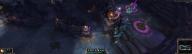
Die Hilfe Texte sind Riesig. Am Ende wenn man gewonnen oder verloren hat beendet man das Spiel in dem man auf den Button klickt. Der ist aber so Riesig das dieser verschwindet und man nicht Ordnungsgemäß beenden kann.
Dazu Auszug:
Zitat
Hello, does anybody else have the problem that you can't click "continue" after the end of a match?
Sorry, I forgot to mention this. Yes this happens when your aspect ratio is too wide. On your picture though it looks like you can see the very top of the continue button?
One workaround is just to increase height or decrease width on renderResolution just a few pixels and recalculate the sourceRect for each head just enough that you can click the very top of the button.
Alternatively press Alt+Enter to make the game windowed, but I haven't tried this myself, so I can't say if it works.
It might also be possible to do with an application named AutoHotkey, where you can map a key or keystroke to make the mouse click at a desired location. Idk if it works for values outside of the screen resolution though.
Hope this helps!
Was er genau damit meint, weis ich leider nicht so recht.
Auszug Config:
Zitat
[main]
renderResolution=3840x1080
nonlocalFormat=RGB32
keepComposition=0
smoothing=1
debugD3D=0
zClear=0
vsync=0
tripleBuffer=0
screenshotFormat=jpg
dllPathD3D9=auto
dllPathDXGI=auto
dllPathD3D11=auto
[overrides]
forceResolution=0
antialiasing=0
processAffinity=0
FOVForceHorizontal=0
FOVForceVertical=0
[head_primary]
sourceRect=0,0,1920,1080
screenMode=1920x1080
[head_1]
devID=1
sourceRect=1920,0,1920,1080
transportResolution=1920x1080
transportMethod=nonlocal
noSync=0
renderResolution=3840x1080
nonlocalFormat=RGB32
keepComposition=0
smoothing=1
debugD3D=0
zClear=0
vsync=0
tripleBuffer=0
screenshotFormat=jpg
dllPathD3D9=auto
dllPathDXGI=auto
dllPathD3D11=auto
[overrides]
forceResolution=0
antialiasing=0
processAffinity=0
FOVForceHorizontal=0
FOVForceVertical=0
[head_primary]
sourceRect=0,0,1920,1080
screenMode=1920x1080
[head_1]
devID=1
sourceRect=1920,0,1920,1080
transportResolution=1920x1080
transportMethod=nonlocal
noSync=0
Evtl. kann jemand damit was anfangen.
Die andere Config sieht so aus:
;
; SoftTH 1.09 configuration file
; by Kegetys, [url="http://www.kegetys.net"]http://www.kegetys.net[/url]
;

[config]
; deviceIDLeft/right: Direct3D device ID's of left and right monitor, or 'auto' for automatic
; secondaryWidth/Height: Left&right monitor resolution, or 'auto' to use same as middle screen resolution
; secondaryRefresh: Refresh rate of left & right monitors, or 'auto' for automatic
; secondaryFormat: Secondary device image format: 'RGB32', 'RGB16', 'RGB16D' or 'RGB32CUDA'.
; uploadMethod: Method used to upload image to secondary card(s): 'blit', 'D3D' or 'D3DCUDA'
; forceAffinity: Set to 1 to force process affinity to all processors/cores.
; borderSize: Size in pixels of frame border between monitors that is discarded
; sideExtraWidth: Width difference between middle and side monitors, or 'auto' to autodetect from desktop resolution
; noHotkeys: Set to 1 to disable all hotkeys
; noOSD: Set to 1 to disable on-screen display when changing settings
deviceIDLeft=1
deviceIDright=0
secondaryWidth=1980
secondaryHeight=1080
secondaryRefresh=auto
secondaryFormat=RGB16D
uploadMethod=blit
forceAffinity=0
borderSize=0
sideExtraWidth=auto
noHotkeys=0
noOSD=0

[main]
renderResolution=3840x1080
nonlocalFormat=RGB32
keepComposition=0
smoothing=1
debugD3D=0
zClear=0
vsync=0
tripleBuffer=0
screenshotFormat=jpg
dllPathD3D9=auto
dllPathDXGI=auto
dllPathD3D11=auto

[overrides]
forceResolution=0
antialiasing=0
processAffinity=0
FOVForceHorizontal=0
FOVForceVertical=0

[head_primary]
sourceRect=0,0,1920,1080
screenMode=1920x1080

[head_1]
devID=1
sourceRect=1920,0,1920,1080
transportResolution=1920x1080
transportMethod=nonlocal
noSync=0

[Direct3D]
; ** Advanced setting for Direct3D games **
; lensCorrection: Lens correction, set to 1 to enable support. >1 to enable by default
; lensCorrectionEdge: Lens correction edge offset
; hideNondefaultDevices: Hides all but the default adapter from the game
; forceHorizontalFOV: Forces horizontal FOV to be three times as wide
; forceResolutionWidth/Height: Forces device to be created with this resolution
; force16bitDepth: Force game to use 16bit depth buffer, can improve performance and reduce memory use
; sleepBeforeRead: Time in ms to sleep before reading back buffer data from video card
; useMultihead: Uses multihead features of primary card if available, can increase performance and reduce memory use
; delayedPresent: When useMultihead enabled, delay primary monitor present to sync with secondary head
; d3d8dll: Path to D3D8.dll/D3D9.dll to use or auto for automatic (system32 dir)
; altResetBehaviour: Do not reset lost main device after secondary device initialization (WDDM crash workaround)
lensCorrection=0
lensCorrectionEdge=0
hideNondefaultDevices=0
forceHorizontalFOV=0
forceResolutionWidth=0
forceResolutionHeight=0
force16bitDepth=0
sleepBeforeRead=2
useMultihead=1
delayedPresent=0
autoSquash=0
altResetBehaviour=0
d3d8dll=auto

[hooks]
; Win32 API hooking settings - Used for some extra compatibility and game-specific fixes
; doHooking: Enable/disable hooks in Direct3D, with OpenGL hooks are always enabled
; doScaleMouseCoordinates: Scale mouse coordinates for getCursorPos to fix games which do not handle negative screen coordinates properly
; doScaleFromLeftScreen: Spread out mouse coordinates from left screen to full width
; doScaleWindowRects: Scale focus window WindowRect
; doScaleClientRects: Scale focus window ClientRect
; mouseXoffset: Number of pixels to offset mouse cursor position in X axis, to fix misplaced cursor due to negative screen coordinates. auto = use X resolution
doHooking=1
doScaleMouseCoordinates=0
doScaleFromLeftScreen=0
doScaleWindowRects=0
doScaleClientRects=1
mouseXoffset=auto

; Triplehead screenmodes to add to resolutions list (width multiplied by three and border added)
; width x height x refresh rate in Hz
; 'auto' adds current primary monitor desktop resolution
; Must be last in this file
[modes]
800x600x60
800x600x75
800x600x85
1024x768x60
1024x768x75
1024x768x85
1280x960x60
1280x960x75
1280x960x85
1280x1024x60
1280x1024x75
1280x1024x85
1600x1200x60
1600x1200x75
1600x1200x85
3840x1080x60
auto
Anhang:
Problem mit dem Beenden Button. Der ist einfach zu Groß

Hier in vollergröße eine Ansicht.
Dieser Beitrag wurde von WinFutAl10 bearbeitet: 20. Februar 2013 - 19:31
Änderungsgrund: Codebox eingefügt

 Nach oben